
Quran 24:30
Guard your gaze.
Harmful sites blocked across the whole phone. Reels, Shorts and TikTok paused. And a phone that can rest to calls only when you need it to. For the sake of Allah.
Free, with no subscription. Android 8.0 or later.
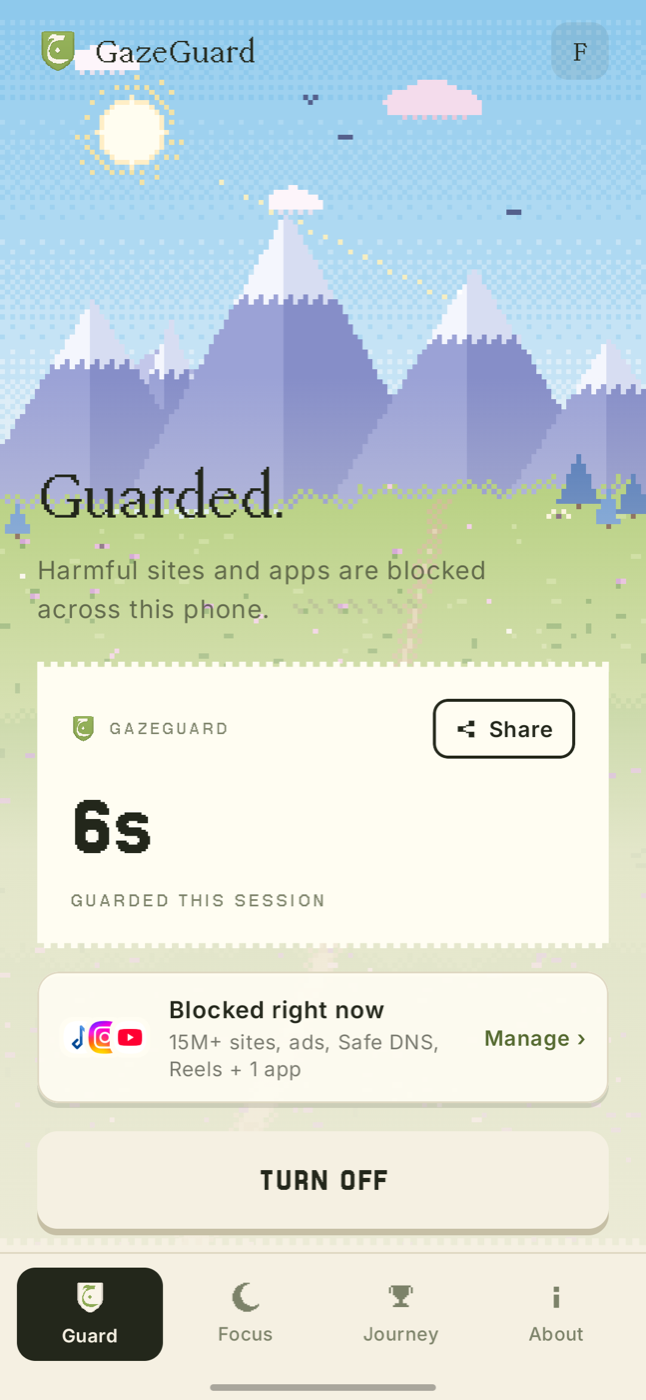
What it does
One app, three protections.
Harmful sites blocked across the whole phone, short videos paused before they take the evening, and a phone that can rest when you need it to.
One tap to protect
Turn the shield on and harmful sites stop loading everywhere on the phone.
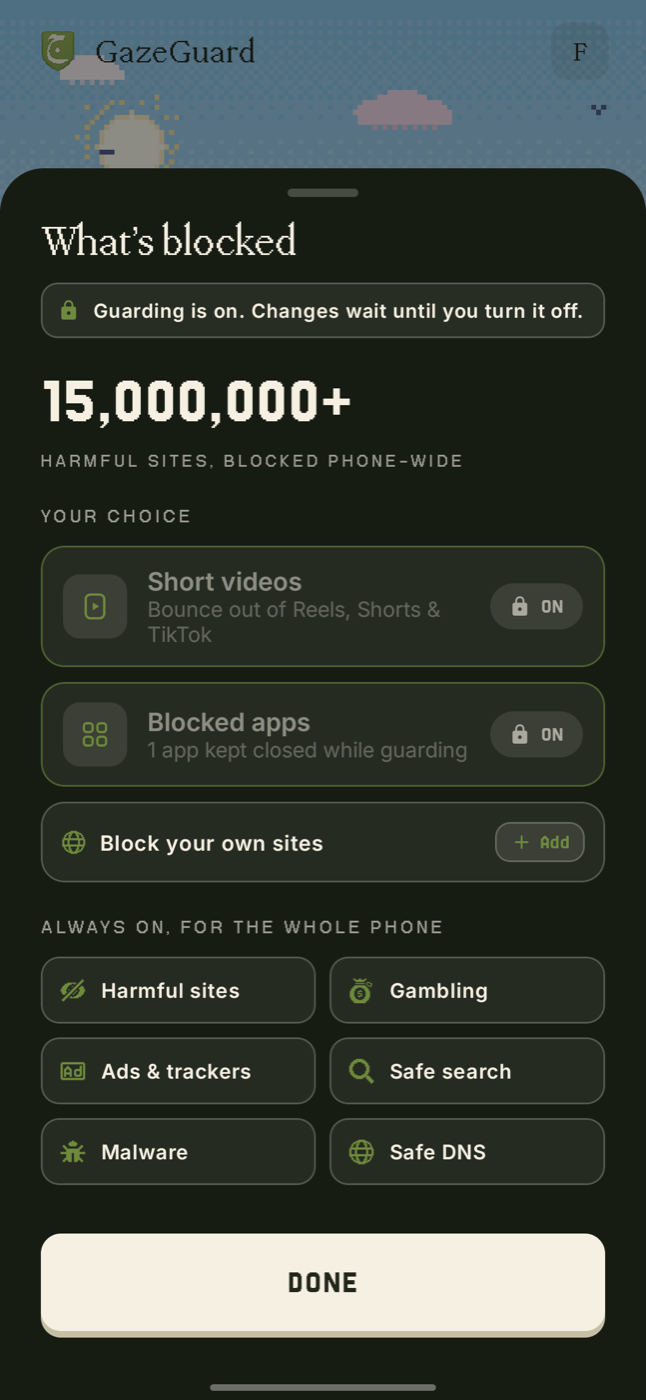
Fifteen million sites
Harmful sites, gambling, ads and trackers. Add your own at any time.
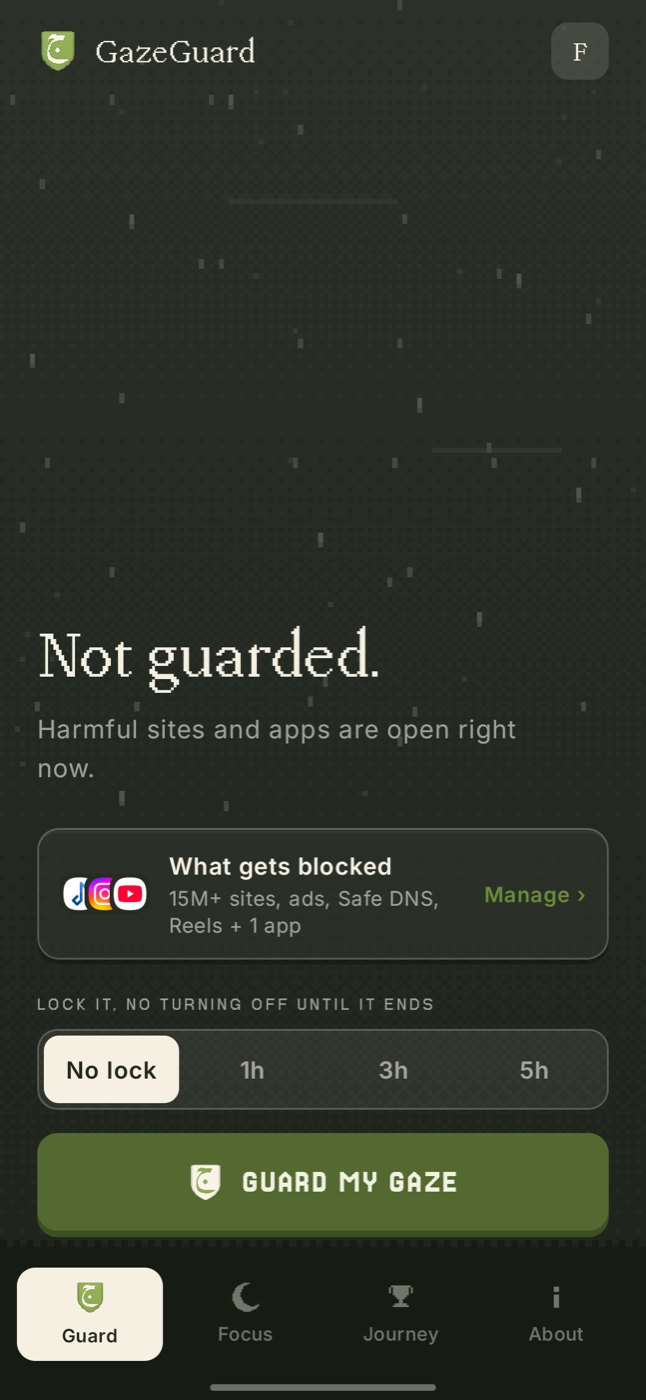
Lock it in
Choose one, three or five hours and it cannot be switched off until the time is up.
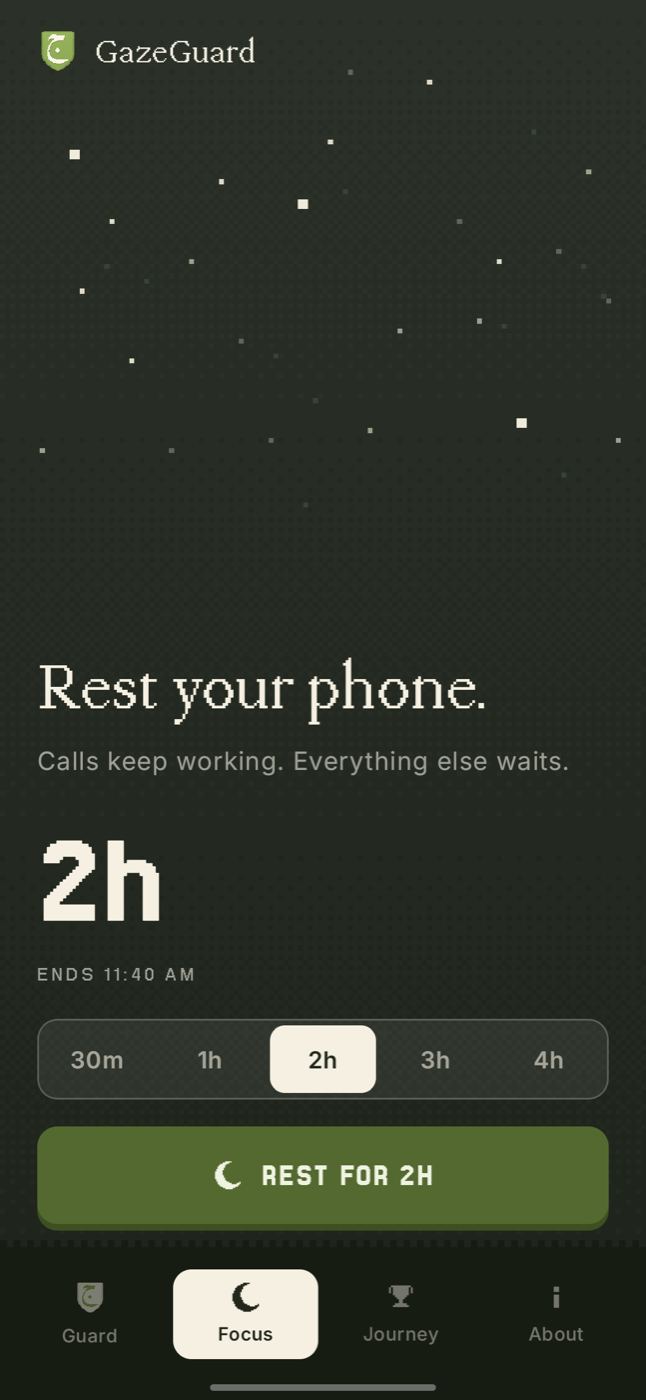
Rest the whole phone
Thirty minutes to five hours of calls only. Everything else waits.
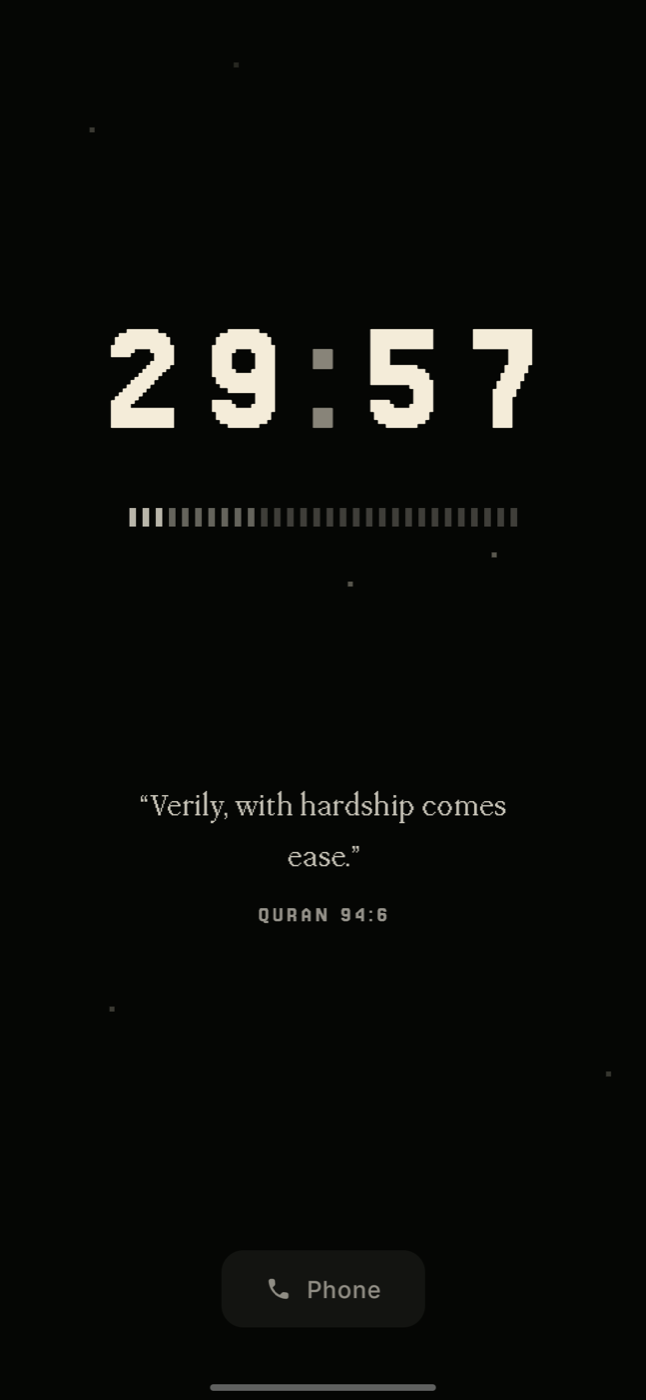
No way to talk yourself out
A countdown, a verse, and nothing to press. Restarting does not end it early.
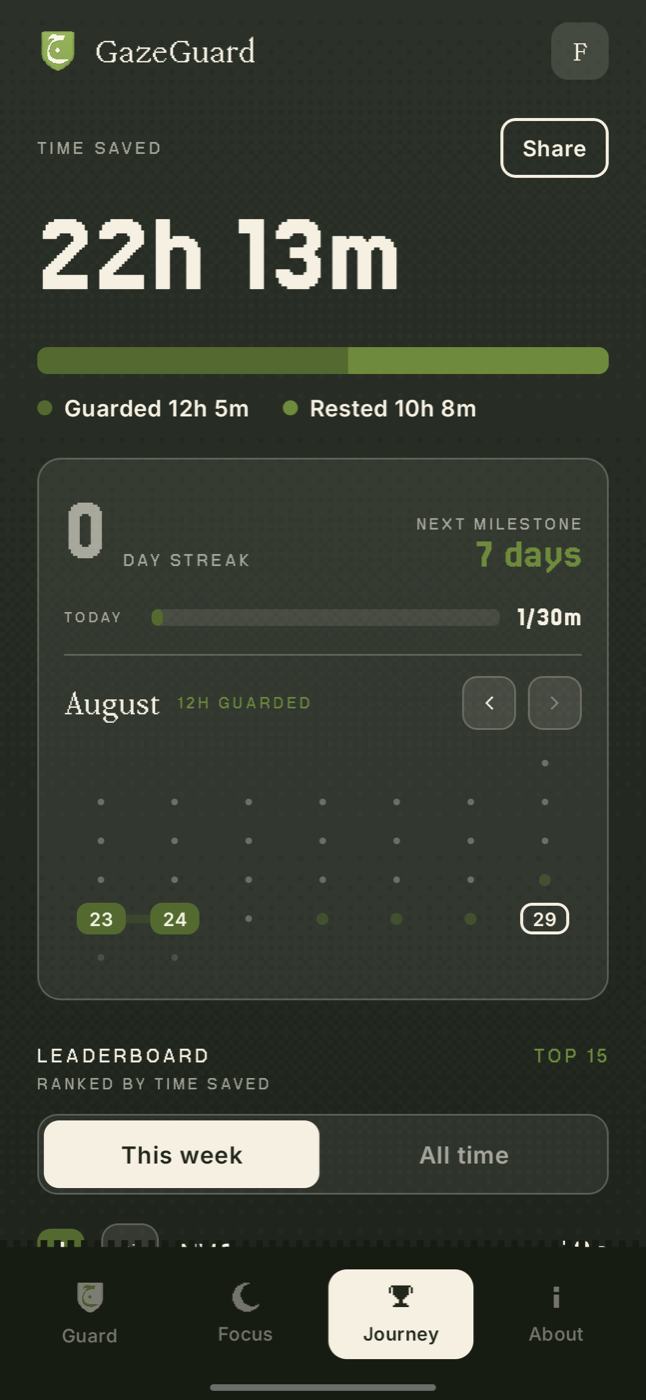
See the hours return
Every guarded day is a link in a chain you can see on a real calendar.
Why it works
Built for the weak moment.
Anyone can install a blocker. The difference is whether it still holds an hour later, when you would rather it did not.
It stops it before it loads
Filtering happens on the phone as the request is made, so a blocked page never begins to appear.
It does not bend
Turning it off asks you to stop and confirm. With a lock set, it simply will not come down until the time is done.
It gives the time back to you
Hours guarded and rested are counted, so the days you keep become something you can see and want to protect.
Privacy
It guards you. It does not watch you.
The filtering is done on the phone itself. GazeGuard does not route, proxy or inspect your internet traffic, and we operate no VPN server at all. Your browsing history and the sites blocked for you are never sent to us.
Questions
Straight answers.
Is GazeGuard free?
Yes. The shield, the feed pausing and Focus Lock are all free. There is no subscription and nothing to buy.
Can GazeGuard see my browsing?
No. Filtering happens on your phone. The app keeps no browsing history and never sends the sites you visit anywhere. Lookups that are not blocked pass to a family-safe public resolver, as they would on any network.
Does it slow my internet down?
No. Your pages, videos and downloads take their normal route. GazeGuard only checks the small lookup a phone makes when it asks where a site lives, and answers that on the device.
What if I try to turn it off in a weak moment?
Turning the shield off always asks you to stop and confirm. If you want more than that, engage the timer lock and the shield cannot be turned off for the time you chose, from one hour up to five. An optional uninstall lock stops the app being removed in the moment.
Do I need an account?
An account is optional. You can sign in with Google or Telegram to keep your progress if you change phones, or skip it entirely and stay anonymous. Everything works either way.
Which phones does it support?
Any Android phone on Android 8.0 or later. iPhone is not supported, because iOS does not allow an app to filter the whole device this way.

Guard your gaze.
One tap protects the whole phone, and it takes about a minute to set up.
Free. Android 8.0 or later.